








Contact us Download app

Skip~ the line. Pay with Gpay.

Scan the QR.
Order and pay in one go.

  1. Scan the QR

    Point your camera at the table QR and the menu opens.

  2. Choose your items

    Browse the photos and add what you like.

  3. Pay in one go

    Split the payment across cards on one screen — and earn mileage too.

  4. Wait time: 0 min

    Your order goes straight to the kitchen.

Multi-card payment · AI ordering · Merchant operations, one platform

We're changingthe standardof payment.

Gpay is a payment, ordering and merchant-operations platform that combines multi-card payment with AI ordering.

Customers order and pay with the Gpay member app. Merchants run everything from menus to sales in one place with Gpay Store.

We're building a new payment ecosystem where members and merchants grow together.

Platform brokerage feeNone

※ Card payment fees and paid merchant services apply separately.

  • Changing the standard of payment.
  • Changing how the world pays
  • Smart payment starts with Gpay
  • Multi-card payment? Plus AI ordering.
  • Now the world pays with Gpay
  • Skip the line. Pay with Gpay.

Two apps, one payment ecosystem

The Gpay member app for users and Gpay Store for merchants connect everything — from ordering and payment to operations — in one flow.

Member app

Gpay

Order by QR and split the payment across cards

  • Multi-card payment · up to 3 cards
  • AI ordering · Merchants near you
  • Takeout pickup · Shopping mall · Mileage

Learn about Gpay
Merchant app · PC POS

Gpay Store

Run everything from orders to sales in one place

  • New-order alerts · Tables · Kitchen screen
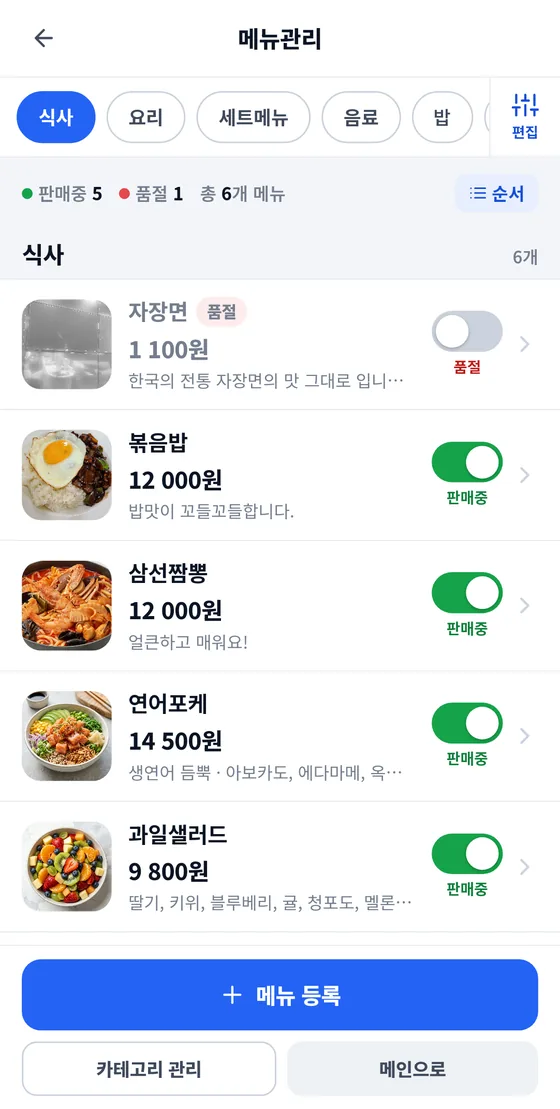
  • Menu and sold-out management · Sales reports
  • Shopping mall · Mileage policy · POS
Learn about Gpay Store

ONE PLATFORMMulti-card payment · AI ordering · Payment · Ordering · Merchant operations

AI G-Payments combines multi-card payment and AI ordering into one payment, ordering and merchant-operations platform.

With the Gpay member app and the Gpay Store app, users can chat with AI to get menu recommendations, then order and pay. Merchants can run POS, menu management, product management, order management, sales management, mileage, and advertising and promotion in one place.

Multi-card payment and AI ordering are full-member benefits, and AI ordering uses an external AI service (OpenAI).

Platform brokerage feeNone

We're building a new payment ecosystem where members and merchants grow together.

※ Card payment fees and paid merchant services apply separately.

Six ways
payment gets easier

  1. Split a payment across cards

    Divide the amount as you like and pay with up to 3 cards on one screen.

  2. AI ordering — just ask

    Just say “What's nearby?” and get store and menu recommendations. Uses an external AI service (OpenAI).

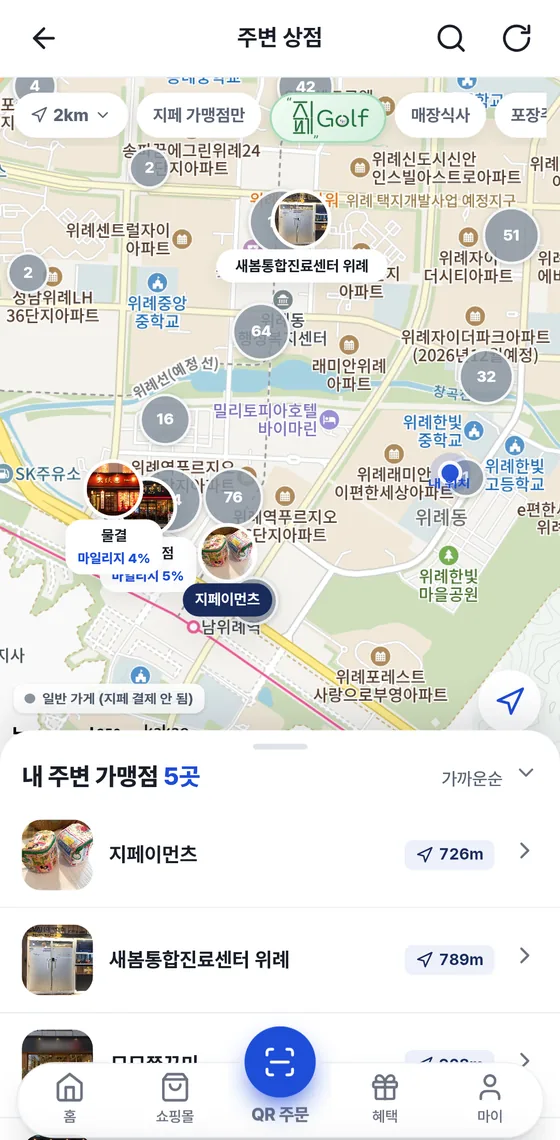
  3. Merchants near you, on the map

    Find them right away with 2 km and 5 km ranges and filters for dine-in, takeout and shopping mall.

  4. Order takeout ahead, then pick it up

    Choose a pickup time and pay — we'll notify you when it's ready.

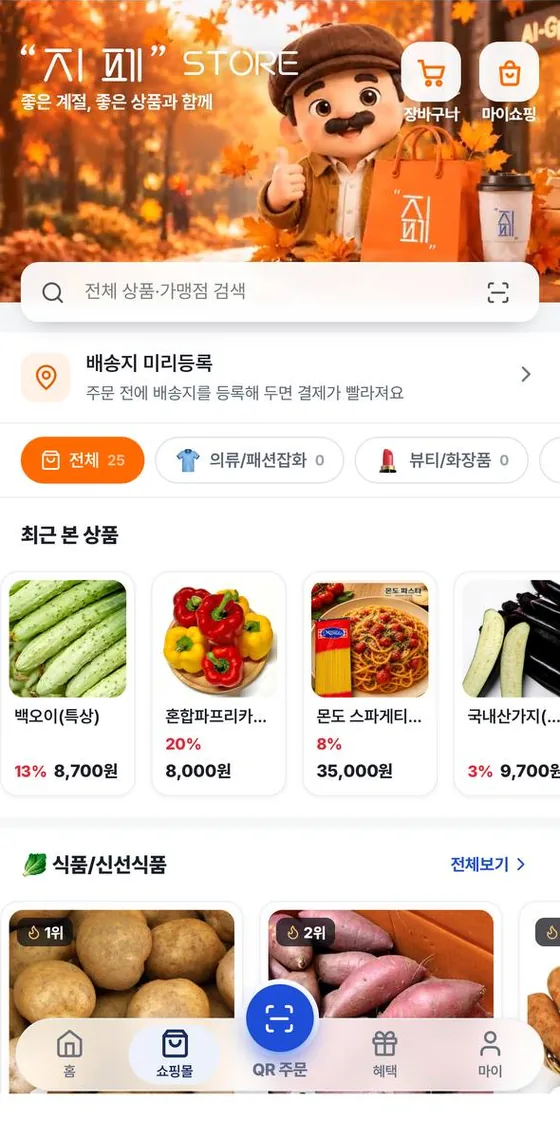
  5. Shopping mall, in the same app

    From product search to payment, shipment tracking and purchase confirmation.

  6. Mileage that builds as you use it
    Each payment earns mileage at that store's rate, and you can spend it again at the same store.

Multi-card payment, AI ordering and Quick Pay are full-member benefits.

Orders come straight in,
owners just cook

  1. Join with one inquiry

    Call 1566-4250 and our team will guide you through registration and the contract. Approved stores appear on the app's map and in search.

  2. New orders alert you with a sound

    When a customer pays, the order appears on the POS screen with an alert sound.

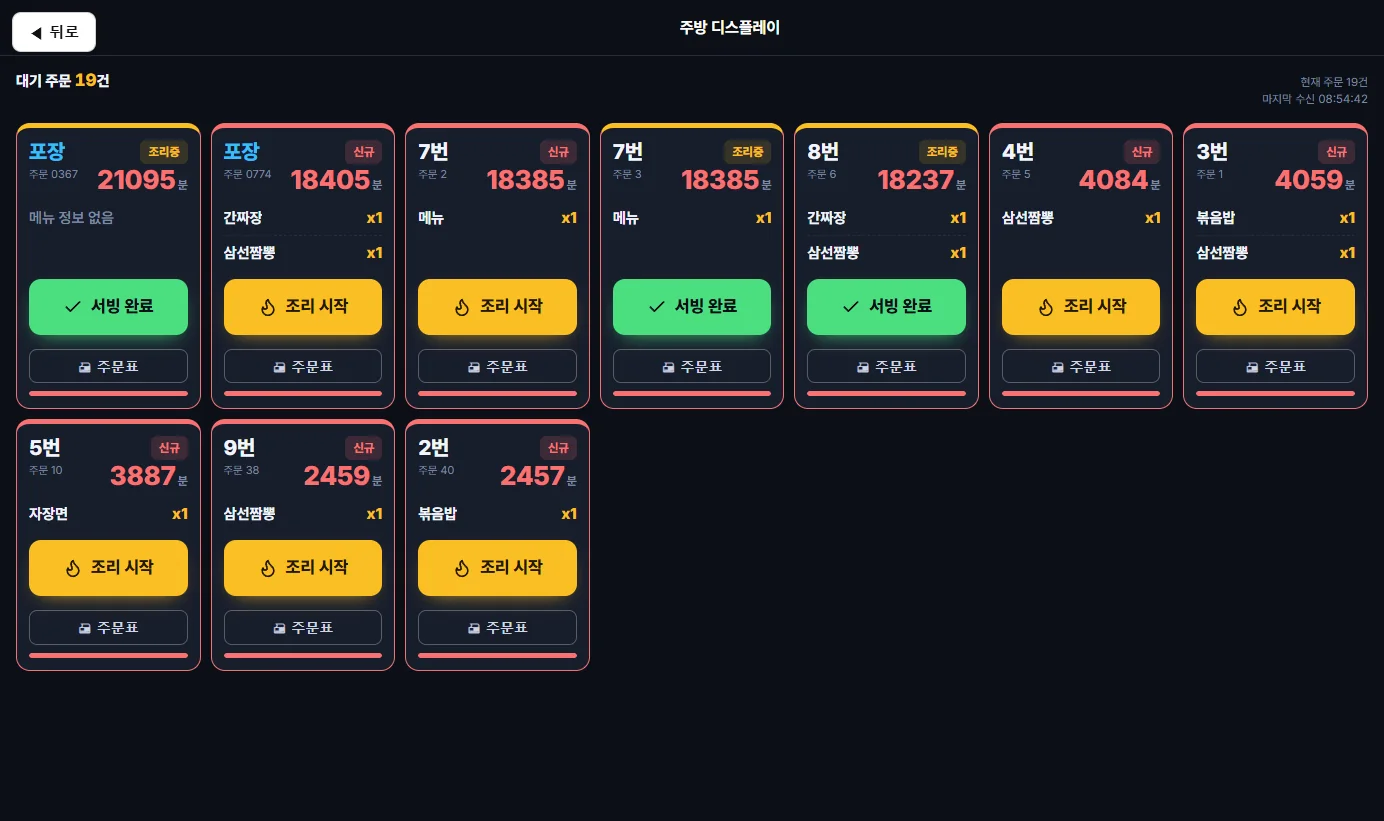
  3. One tap each, and you're done

    Just tap “조리 시작” (Start cooking) and “서빙 완료” (Served). Progress also goes to the customer's phone.

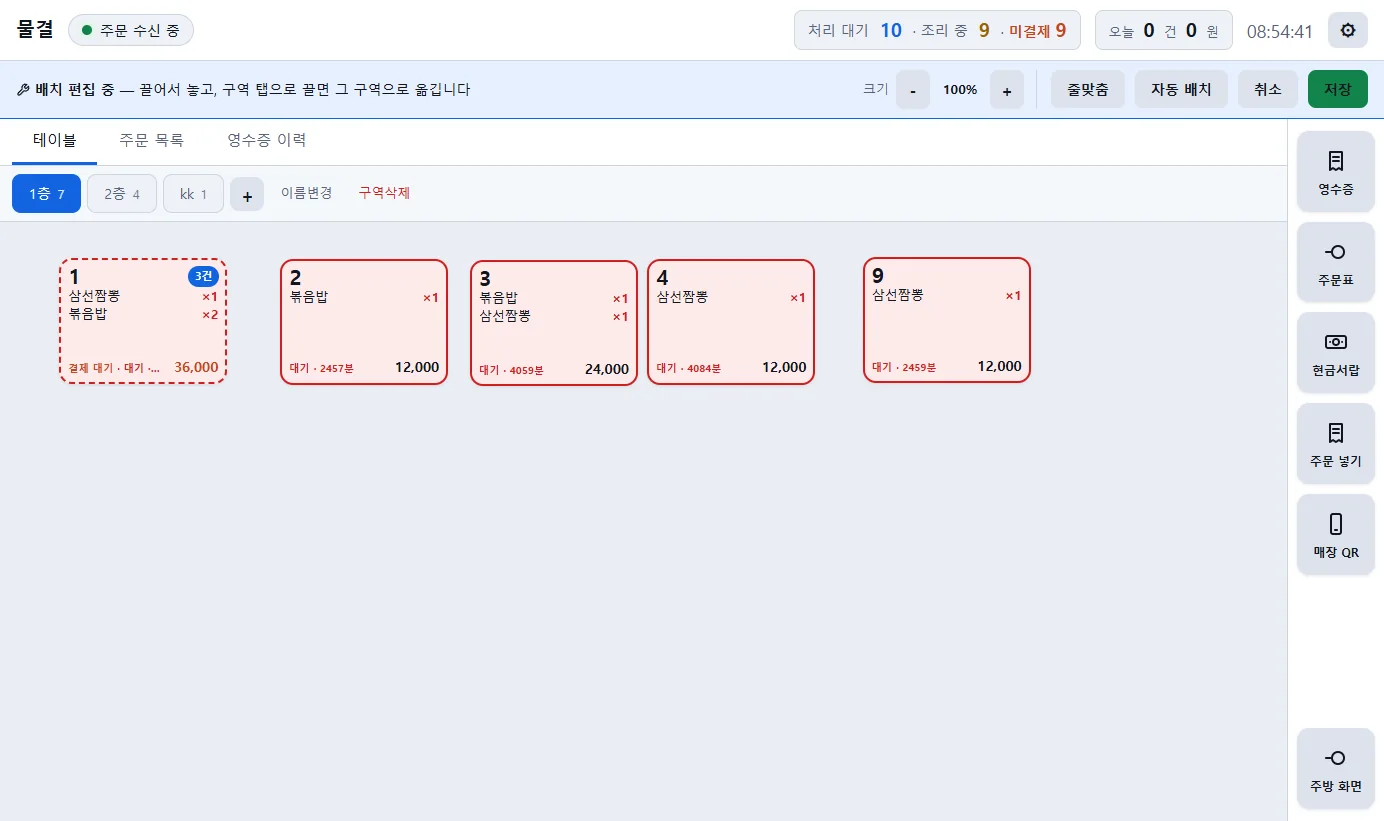
  4. Tables and kitchen at a glance

    Order, cooking and payment status are color-coded, and new orders go straight to the kitchen screen and order slip.

  5. Today's business at a glance

    See today's sales, orders and top-selling items, plus reports by time of day, menu item and card issuer.

  6. Run it all from one app

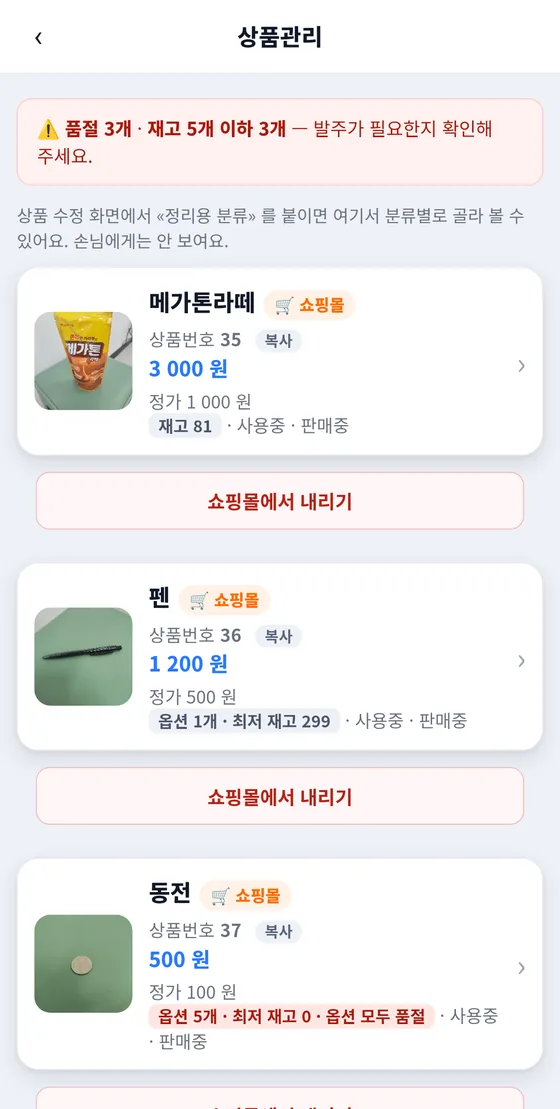
    Manage menus and sold-out items, open and close for business, switch takeout on or off, and set your own mileage policy.

  7. No platform brokerage fee

    ※ Card payment fees and paid merchant services apply separately.

Multi-card payment

Multiple cards, split your way

Move the sliders to split the amount across your cards. The last card is calculated automatically from the remainder.

Amounts are split in 100 KRW steps, and each card must be above 0 KRW.

※ The screen is an example. Multi-card payment supports up to 3 cards, within the limits set by card issuers and PG policies. Multi-card payment is a full-member benefit.

Example
KRW
Card A
Card B
Card CAuto-calculated

Total100%

AI ordering

Register your menu, and AI introduces it to customers

Once a merchant registers menu items and prices, they're included in the AI's answers when customers ask.

01Merchant

Register menu and prices

Just upload photos and prices.

02AI

Recommend through chat

Answers “What's nearby?”

03Customer

Order right away

Add the recommended item and pay.

AI answers use an external AI service (OpenAI). Example screen

Five reasons to use Gpay

No platform brokerage fee

We don't charge an order brokerage fee.

※ Card payment fees and paid merchant services apply separately.

Integrated operations platform

Menus, orders, payments and sales — all at once, on phone and PC POS.

Multi-card payment technology

Split a payment across cards in one go. Up to 3 cards.

From the store to online

Store orders and the shopping mall in one place. Delivery is coming soon.

  1. Store
  2. Shopping mall
  3. DeliveryComing soon

There's more —
here's what else you can do

Example screen

App Pay

Verify in your card issuer's app and pay right away.

Example screen

Order status · Alerts

Follow your order from received to cooking to done in the app, and get notified when your food is ready.

Example screen

Payment history · Receipts

See the last 6 months of payments and card receipts right in the app.

  • Quick Pay

    Scan the QR and enter the amount — that's it.

  • Pay when you leave

    Order first, then tap “계산하기” (Pay the bill) once when you leave.

    Pay-later store
  • Discount stores

    See only the nearby stores that are running discounts right now.

  • Store page

    Photos, menu, reviews, open/closed status, phone and directions on one screen.

  • Saved items · Favorite stores

    Keep the products and stores you like and come back to them.

  • Verified-purchase reviews

    Choose with confidence: verified-purchase badges and owner replies.

  • 6-digit password · Fingerprint · Face ID

    Verify it's you once more when you pay.

  • Card management

    Register up to 3 cards and pick one when you pay.

  • Update inside the app

    When a new version is out, update right inside the app.

  • Golf map

    Find golf courses nationwide by region and public-course filters, and check the weather too.

Seen right in the store:
promotional materials for merchants

One QR scan connects customers straight to Gpay.

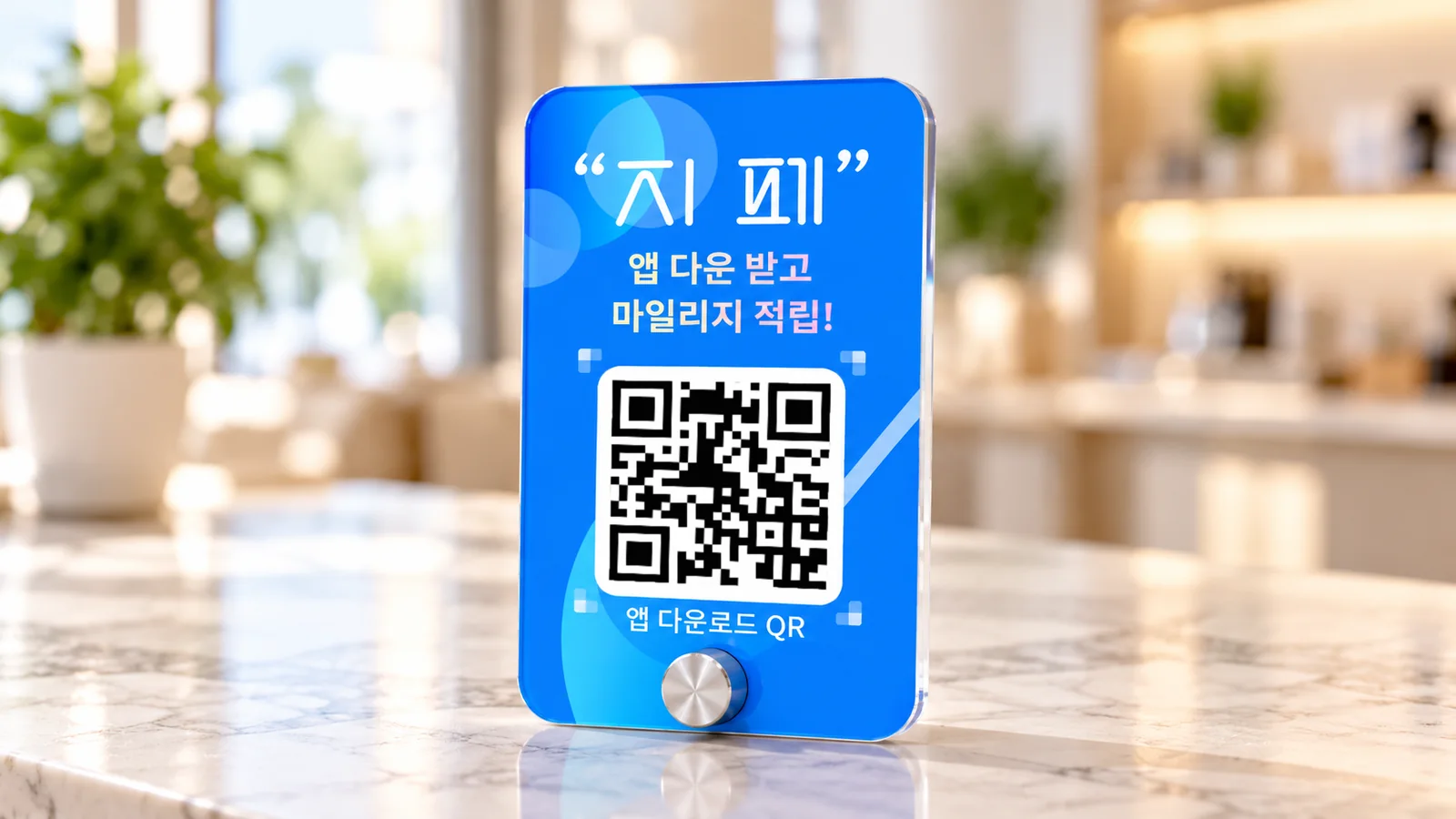
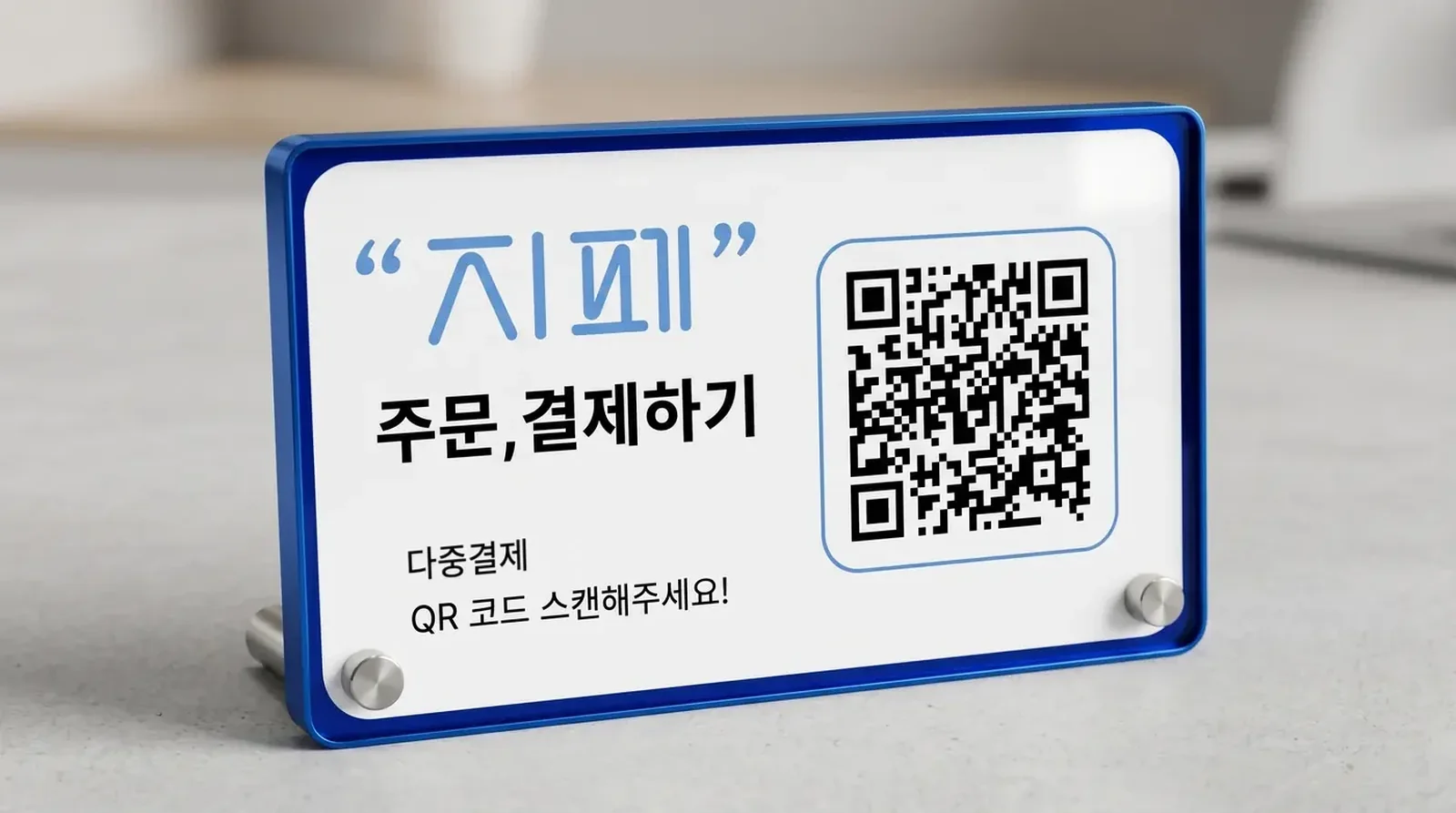
  • Acrylic standsBlue · White · Clear
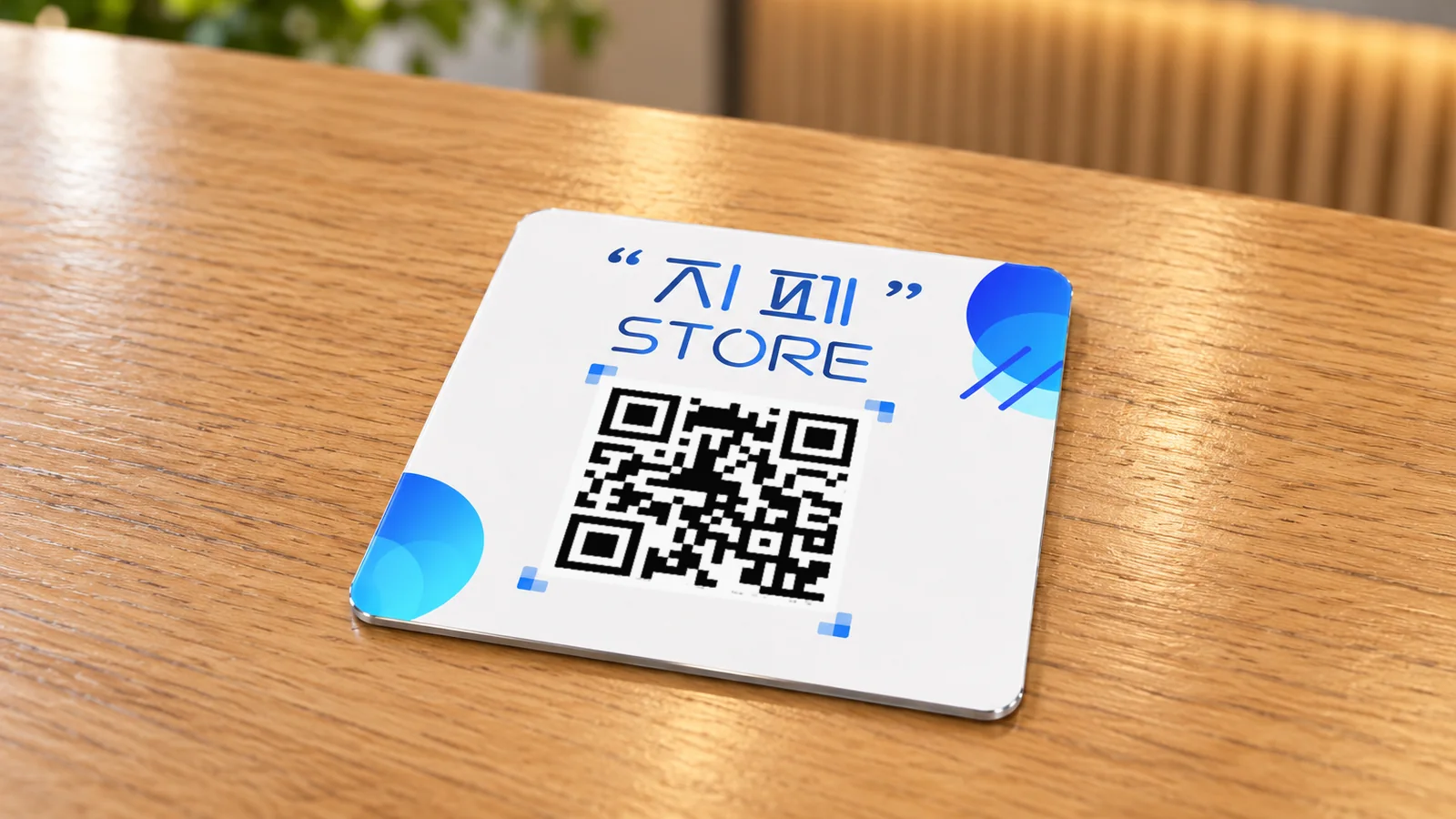
  • QR stickersStandard · Mini
  • Custom designPrinted with your store name
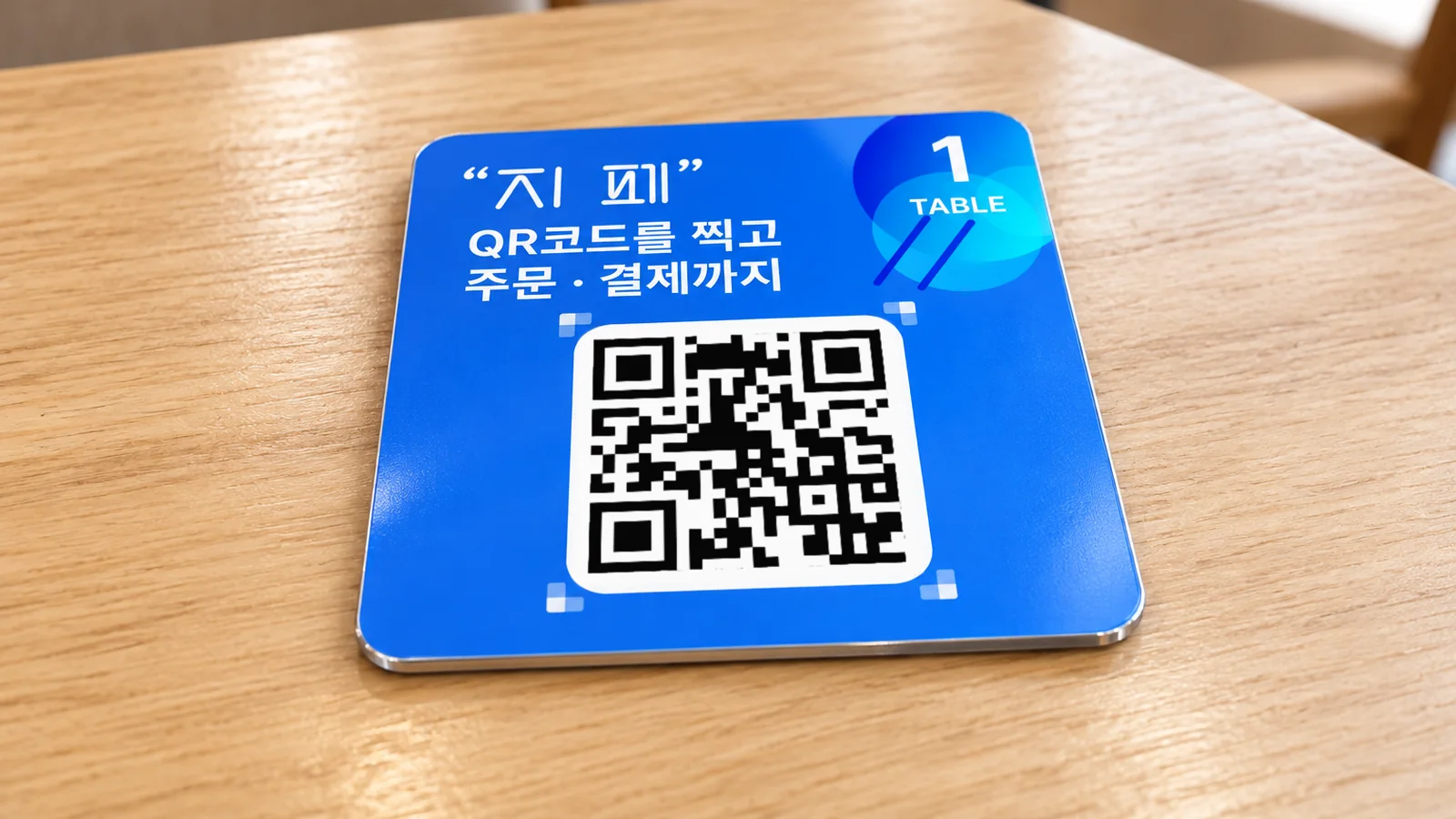
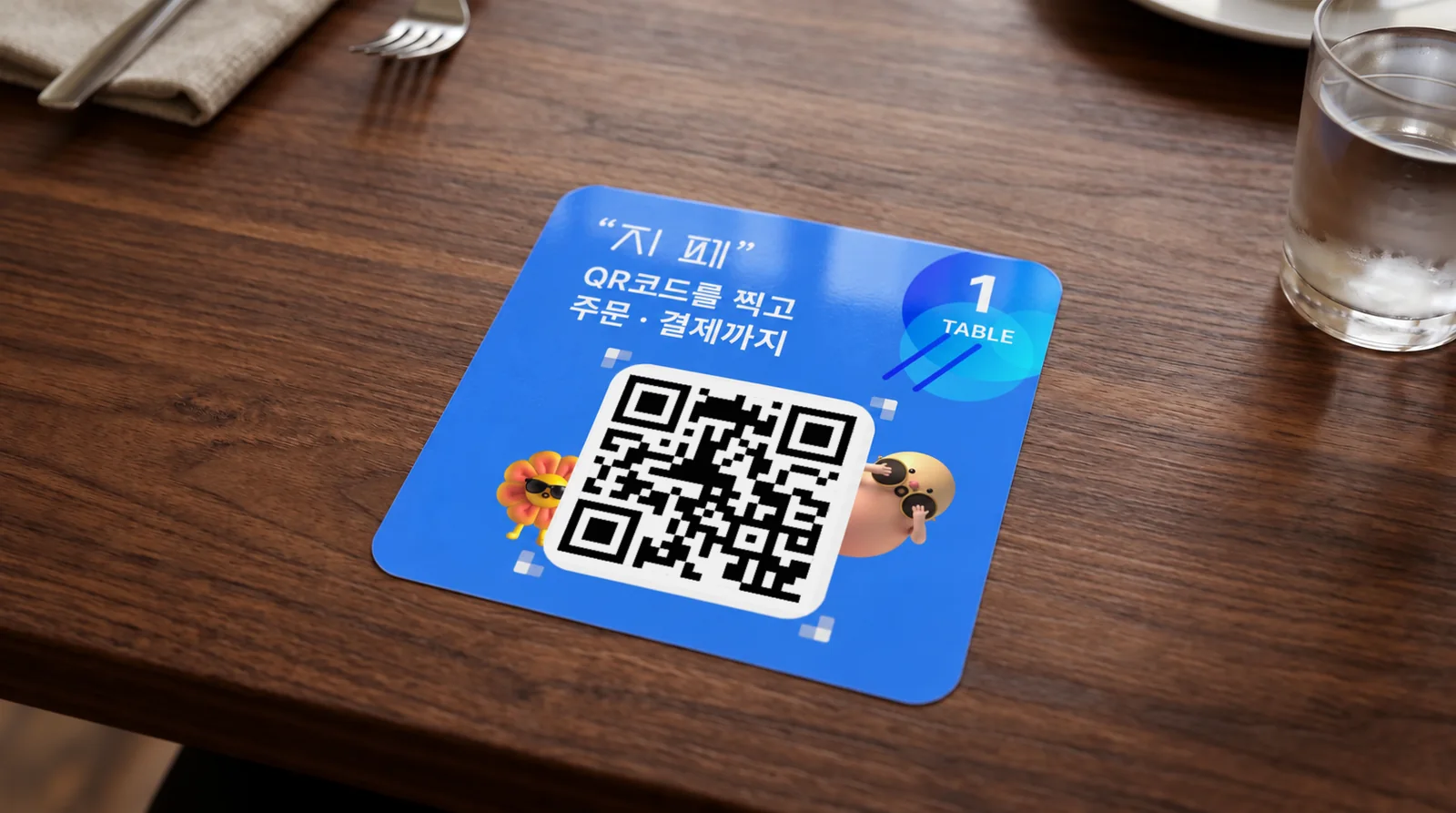
Blue and white QR stands with table-number plates
Stand · Table plate
Blue QR plate with a table number
Table-number plate
Blue acrylic QR stand
Blue stand
White acrylic QR stand
White stand
Horizontal acrylic QR stand with a blue border
Horizontal acrylic stand
White QR plate
Store plate
Table-number QR plate featuring a character
Character plate
Restaurant with an official Gpay merchant sign
Official merchant
Official Gpay merchant flag
Official merchant flag

Real screens, exactly as they are

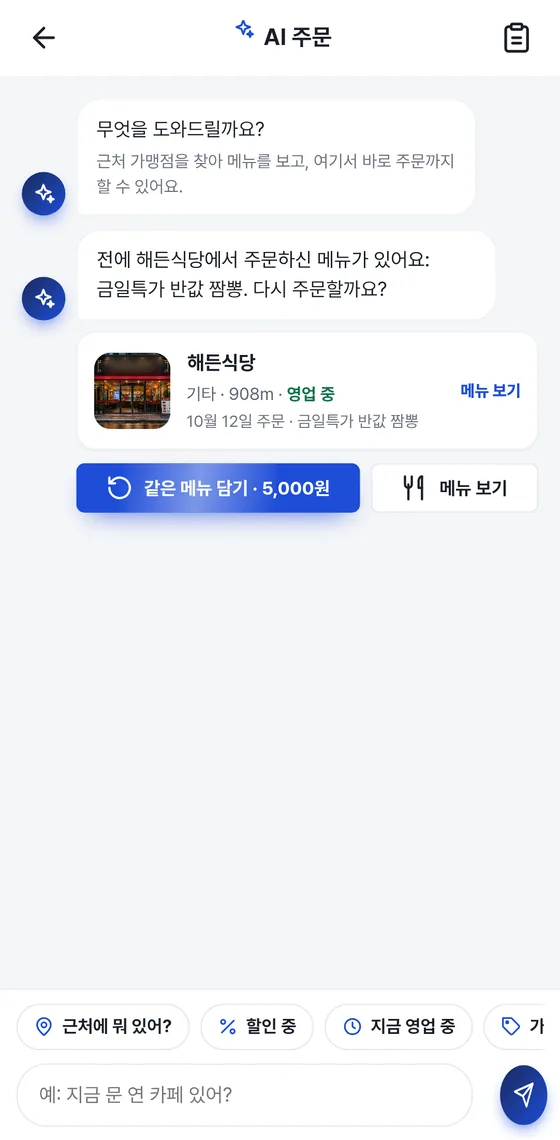
Member app AI ordering screen
Member app nearby stores screen
Member app shopping mall screen
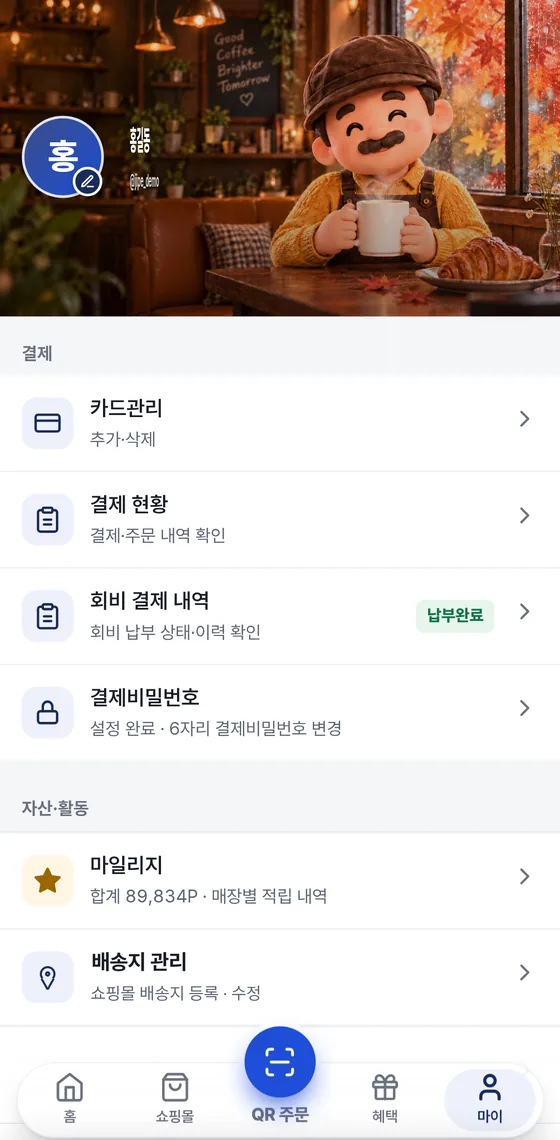
Member app My page screen
Merchant app menu management screen
Merchant app product management screen

Type as you'd speak and the AI organizes your order. This is a recording of the real app screen.

Getting started is this easy

Customers · Gpay

  1. Install the app

    Search for Gpay (지페) on Google Play or the App Store.

  2. Sign up · Verify your identity

    Agree to the terms and verify your identity with your mobile phone.

  3. Register a card

    Add the card you'll use under “마이” (My) ▸ “카드관리” (Card management).

  4. Set a payment password

    Choose a 6-digit password, and turn on fingerprint or Face ID if you like.

  5. Pay the full-member annual fee

    This unlocks full-member benefits such as multi-card payment, AI ordering and Quick Pay.

  6. Order and pay with a QR

    Scan the store's QR, add items and pay.

Owners · Gpay Store

  1. Merchant inquiry

    Call 1566-4250 and a representative will guide you.

  2. Registration · Contract

    Our team registers your store and handles the contract.

  3. Register your menu in the app

    Upload photos and prices in the Gpay Store app.

  4. Create table QRs

    Set the number of tables, then save and print all the table QR codes at once.

  5. Install the POS

    Install it on a Windows PC and try a test order.

  6. Open for business

    Turn on the “영업중” (Open) switch to start taking orders.

On mobile, you can update right inside the app. The PC program checks for a new version every time it starts.

Core values

A payment platform where customers and merchants grow together

  • Trust

    We will build the market's trust through stable operations, responsible service and a customer-first attitude.

  • Innovation

    Through AI technology, platform architecture and service design built on multi-card payment, we will open new possibilities for the payment industry.

  • Growth

    We aim for a sustainable service structure in which customers, merchants and partners can grow together.

  • Execution

    We won't just present a vision — we will deliver results through services and operating capabilities that work in the field.

Ad

Smart payment starts with Gpay

Multi-card payment? Plus AI ordering.

Changing how the world pays

Now the world pays with Gpay

Advertising inquiries 1566-4250

Skip~ the line.
Get Gpay now

Customers · Gpay

Frequently asked questions

Gpay is a payment, ordering and merchant-operations platform that combines multi-card payment with AI ordering. Customers order by QR in the Gpay member app and split the payment across cards. Merchants run menus, orders, payments, sales, the shopping mall and mileage in one place with the Gpay Store app and the PC POS. Delivery is coming soon.

Gpay doesn't charge an order brokerage fee. Card payment fees and paid merchant services apply separately. It offers multi-card payment (up to 3 cards) to split one payment across cards, and AI ordering so you can order through conversation.

Type as you'd speak, like “What's nearby?”, and the AI finds and recommends merchants and menu items within 2 km, then takes you straight on to ordering and payment. If a merchant has registered menu items and prices, the AI includes them in its answers. What you type is processed by an external AI service (OpenAI).

Multi-card payment, AI ordering and Quick Pay are full-member benefits. When a full member pays, mileage is earned at each store's earning rate and can only be used at the store where it was earned. It can't be refunded as cash.


Call our contact center at 1566-4250 (weekdays 09:00–18:00 KST, lunch 11:30–12:30) and a representative will guide you through registration and the contract. After signing, register your menu in the Gpay Store app, then create table QRs and put them up.

Payment approval is processed on a dedicated payment server, separate from the web screens. Data between the app and the server is sent encrypted, and when you pay, your identity is verified with a 6-digit payment password and fingerprint or Face ID.

Yes — we're already in operation. You can download Gpay from Google Play and the App Store and sign up.

We're looking for partners to
build a new flow of payment with us

Merchant onboarding, service partnerships or general questions — all are welcome.

Download app
Get the app Owners · Merchant inquiry