
Member app · Gpay
One QR,
from order to payment
Gpay is the member app for ordering with a table QR, splitting payments across cards and earning mileage.
Multi-card payment, AI ordering and Quick Pay are full-member benefits.
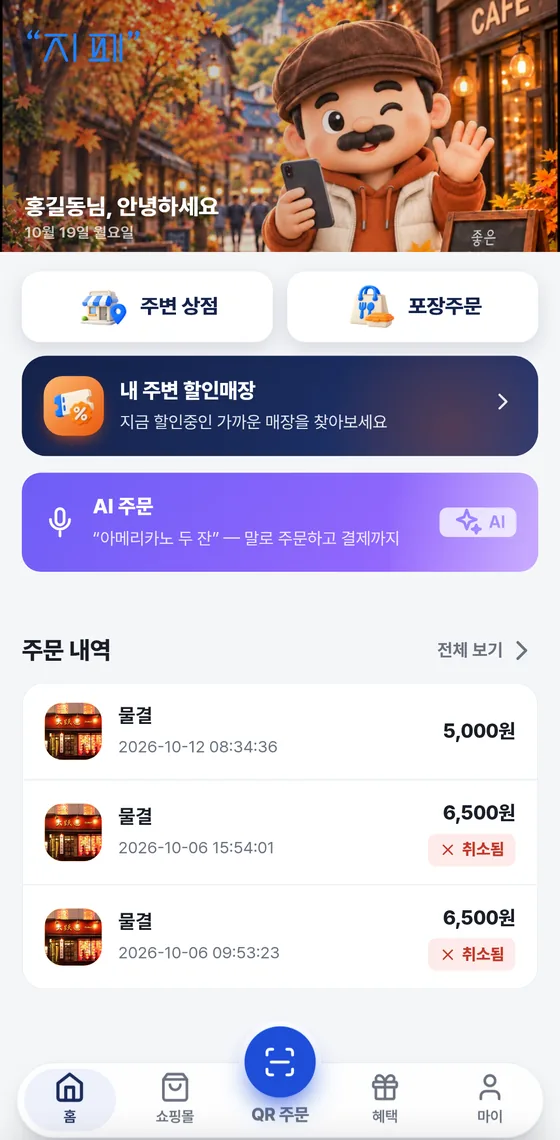
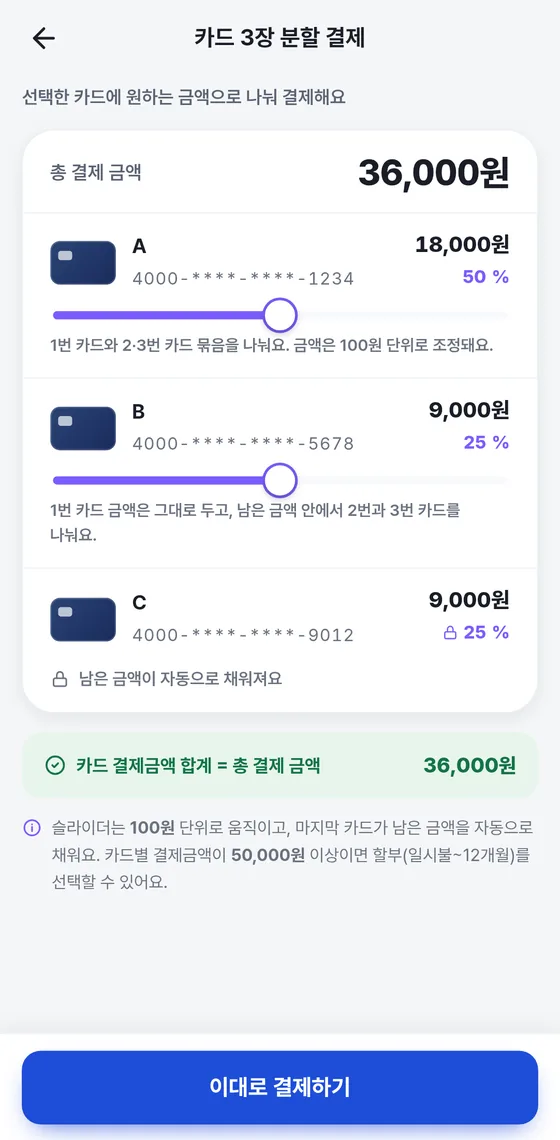
Several cards,
one payment
One card not enough? No problem. Split the payment across up to 3 cards in any amounts you like.
- Set the amount for each card
- The last card's amount is calculated automatically from the remainder
- Multi-card payment is a full-member benefit
※ The screen is an example. Multi-card payment is supported within card issuer and PG policies.
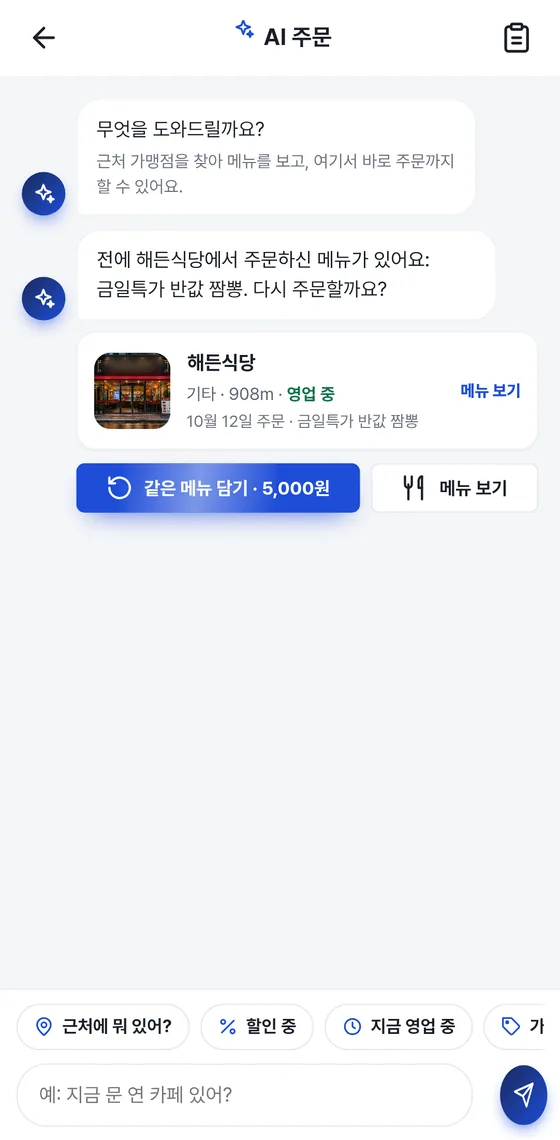
Just ask,
and AI recommends
Say “What's nearby?” to find stores and menu items within 2 km, and order right away.
- Uses an external AI service (OpenAI)
- Filters: on discount · open now
- One flow from recommendation to payment
AI answers use an external AI service (OpenAI).
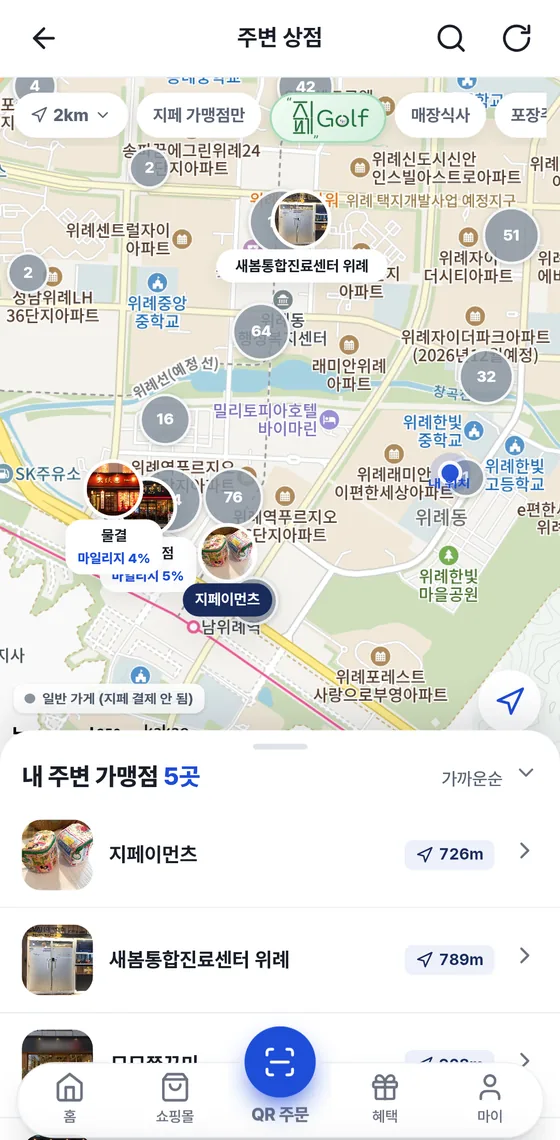
Nearby merchants,
on the map
Find them right away with 2 km and 5 km ranges and filters for dine-in, takeout and shopping mall.
- Open/closed status and distance at a glance
- Photos · Menu · Reviews · Phone · Directions
- See only stores with discounts
Order ahead,
pick up on time
Choose a pickup time and pay — we'll let you know when it's ready.
- Choose from 15, 20, 30, 45 minutes or 1 hour
- Ready-for-pickup alert
- Check order status and alerts in the app
Mileage that builds
as you use it
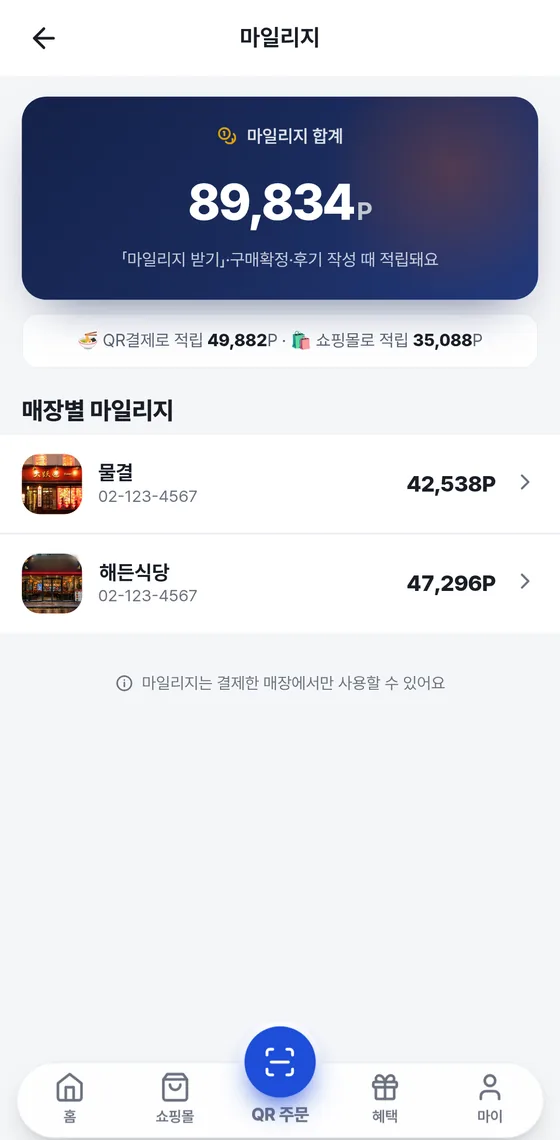
Each payment earns mileage at that store's rate, and you can spend it again at the same store.
- Earning rates differ by store
- A full-member benefit; it can't be refunded as cash
- Leave a review and you may also earn a reward, depending on the store's policy
You can do this in the same app too
You can browse the other features under the Customers and Owners tabs on the home page.
Shopping mall, in the same app
From product search to payment, shipment tracking and purchase confirmation. Save favorites and read verified-purchase reviews too.
Quick Pay · App Pay
Scan the QR and enter the amount, or verify in your card issuer's app and pay right away.
Pay when you leave
Order first, then tap “계산하기” (Pay the bill) once when you leave.
One more check when you pay
Your identity is verified with a 6-digit payment password and fingerprint or Face ID. You can register up to 3 cards.
Getting started is this easy
You can get started with the Gpay member app in six steps.
- Install the app
Search for Gpay (지페) on Google Play or the App Store.
- Sign up · Verify your identity
Agree to the terms and verify your identity with your mobile phone.
- Register a card
Add the card you'll use under “마이” (My) ▸ “카드관리” (Card management).
- Set a payment password
Choose a 6-digit password, and turn on fingerprint or Face ID if you like.
- Pay the full-member annual fee
This unlocks full-member benefits such as multi-card payment, AI ordering and Quick Pay.
- Order and pay with a QR
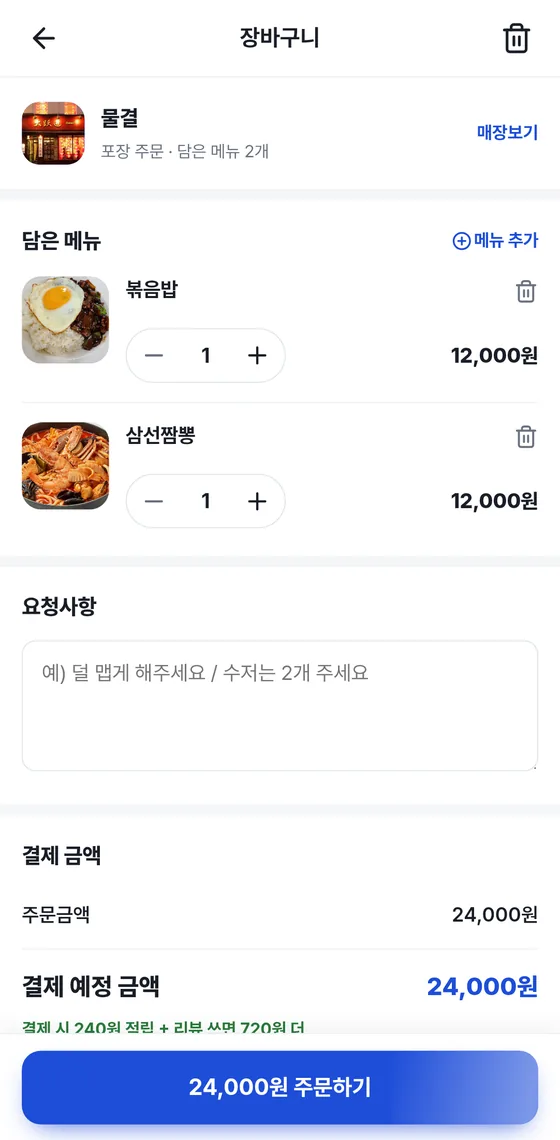
Scan the store's QR, add items and pay.
Any questions?

Multi-card payment, AI ordering and Quick Pay are full-member benefits.
You can split a payment across up to 3 cards.
It's processed by an external AI service (OpenAI). Menu items and prices registered by merchants are included in the answers.
Only at the store where you paid, and it can't be refunded as cash.
You can download it by searching for “Gpay (지페)” on Google Play or the App Store.
Skip the line,
get Gpay now
The Gpay member app is available on Google Play and the App Store.