

 Gpay POS setup
Gpay (지페)
Order by QR, split payments across cards and earn mileage. Multi-card payment, AI ordering and Quick Pay are full-member benefits.
Download app
The Gpay member app and the Gpay Store app are on Google Play and the App Store. The Gpay POS store PC program is available on this page.
Order by QR, split payments across cards and earn mileage. Multi-card payment, AI ordering and Quick Pay are full-member benefits.
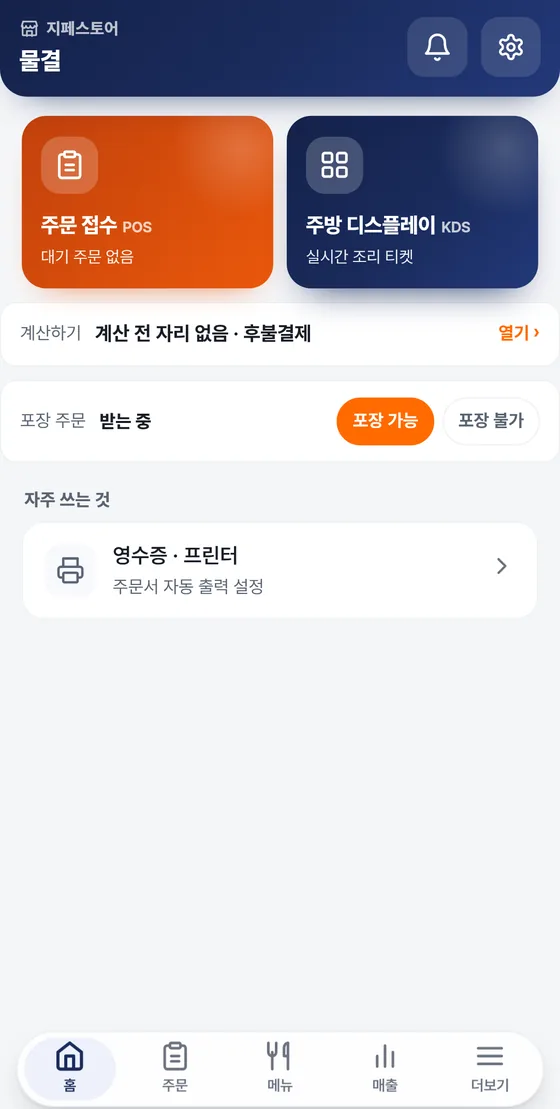
Run orders, payments, menus, sales and the shopping mall in one app. Merchant inquiries: 1566-4250.

Point your phone camera at the QR and this download page opens right on your phone.
A PC program that combines the merchant app and POS into one. Handle order intake, payments, the kitchen screen, sales, menus, products and shipping management in a single program. After installing, if you see “운영” (Live) below the login screen, it's working normally.
Checking for a new version
You're viewing this on a mobile device. To get the PC program, open this page again on a Windows PC.
Get this if the installer is blocked or you'd rather not install. Unzip it and run gpaypos2.exe inside the folder. The contents are the same as the installer.
Get ZIPWindows 7 · 8Includes the WebView2 screen engine installer. Unzip it and follow the instructions in the folder. Even stores with slow internet can set up with this single file.
Get bundleClick “Get the installer (.exe)” above to download AigpaymentsSetup.exe. If your browser shows a warning, choose “Keep”.
Follow the on-screen setup guide. No administrator rights are needed.
When setup finishes, a G-PAYMENTS POS shortcut appears on your desktop.
Log in with the store ID and password issued by Gpay.
Follow the first-time setup guide to configure your receipt printer and cash drawer.
The PC program checks for a new version every time it starts, and you apply it with “지금 다시 켜기” (Restart now) when the prompt appears. The mobile app can be updated right inside the app.
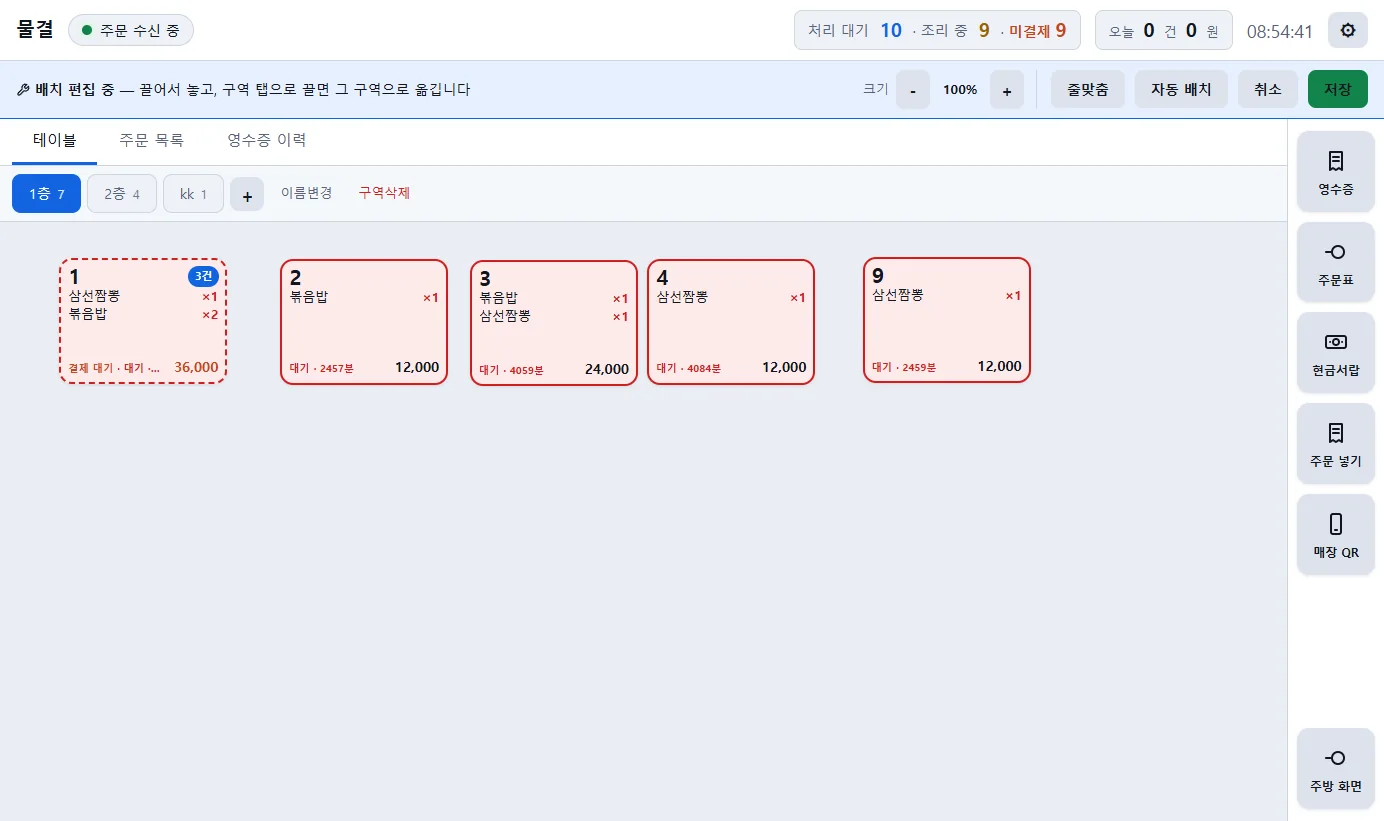
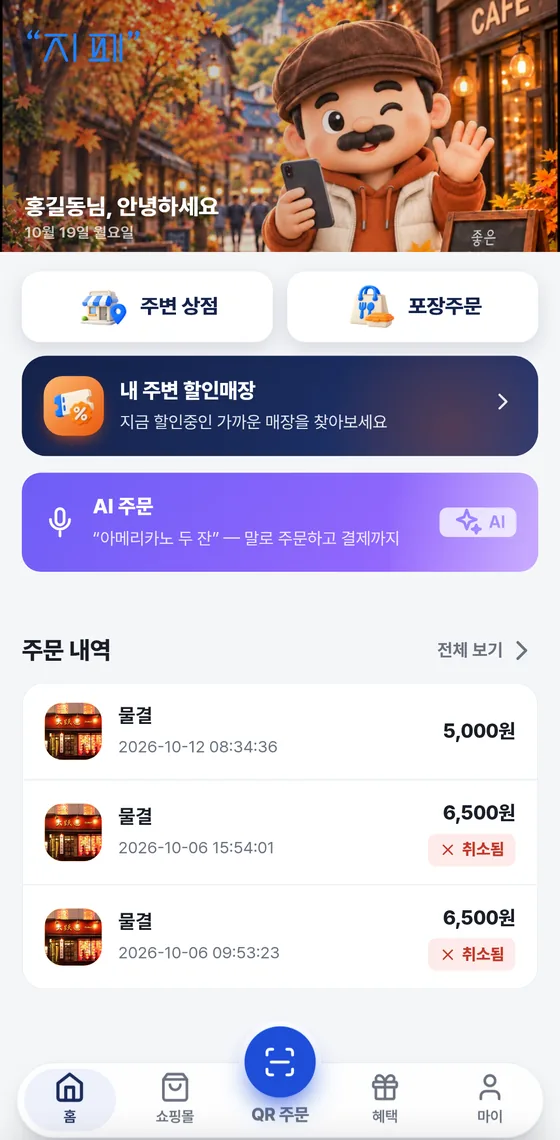
Try pressing the button · Example screen
If you run into problems during installation, or need something not covered in the manual, please reach out to our contact center.